
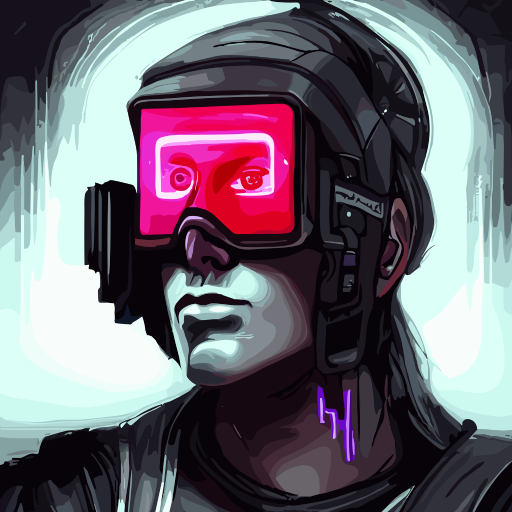
Automagine
Automated image generation for art and design projects.
Automagine Tool Description
Automagine is an AI tool available on the Google Workspace Marketplace that allows users to input text and automatically generate stunning artwork and images. By utilizing the power of the new stable diffusion AI model, users can describe a piece of art or an image they want and with a simple button click, the tool will generate the desired image. The generated image is then automatically added to the user's document or current slide and saved in a folder called diffusion-images.Currently, Automagine operates as a text-to-image tool, with the ability to create modern art similar to Mid journey or Dall-e using the artistic mode feature. Additionally, the prompt boost feature enhances the level of detail in the generated prompts through the utilization of GPT-3 technology.The tool is free to use, though it offers paid features. It requires permissions to access the user's Google account, enabling it to view and manage documents, Google Drive files, Google Slides presentations, and to display and run third-party web content within Google applications. Users have the option to rate and review the app, which will be publicly displayed along with their profile name and photo.For more details, support, privacy policy, terms of service, and pricing information, users can visit the website provided by Madhav, the developer of Automagine.
Automagine Pros
- Generates images from text
- Generated image auto-saved
- Integration with Google Workspace
- Creates modern art
- Artistic mode feature
- Prompt boost feature
- Enhanced details in prompts
- GPT-3 technology utilization
- Free to use
- Paid premium features
- Requires few permissions
- Option to rate/review tool
- Integration with Google Docs
- Integration with Google Slides
- One-click image generation
- Saves images in diffusion-images folder
- Reviews publicly displayed
- Auto add images to documents
- Improved output with prompt boost
- User customization capability
- View and manage documents
- Interactive prompts and sidebars
- Feature updates available
- Developer support available
- Privacy policy provided
- Terms of service provided
- Access to primary email
- Access to public personal info
- Suitable for Google Workspace
Automagine Cons
- Requires extensive permissions
- Dependent on Google Workspace
- No standalone version
- Only creates modern art
- Houses images in specific folder
- No customization of saved location
- Developer support required
- Partial features are paid
- Depends on text description
- Lack of variety in style
Automagine Frequently Asked Questions
What is Automagine?
Automagine is an AI tool that generates images based on user input. It's available on the Google Workspace Marketplace and utilizes the stable diffusion AI model to transform descriptions into artwork.
How does Automagine work?
Users input text describing the art or image they want, then Automagine produces the image with a simple button click. The generated image is added to the user's document or slide and saved in the 'diffusion-images' folder.
What is the stable diffusion AI model used by Automagine?
The stable diffusion AI model used by Automagine is a powerful tool for artificial intelligence tasks, specifically text-to-image conversion. It aids in processing user input and generating images that match the desired descriptions.
How does Automagine integrate with Google Workspace?
Automagine integrates with Google Workspace by requiring permissions to user's Google account. It views and manages documents, Google Drive files, and Google Slides presentations, and displays and runs third-party content within Google applications.
What is unique about the image generation process of Automagine?
Automagine's image generation process is unique in its use of the stable diffusion AI model and GPT-3 technology. Users describe their desired image and Automagine generates it, providing distinctive and visually inspiring art.
What is the artistic mode feature in Automagine?
Artistic mode in Automagine allows users to create modern pieces of art similar to styles of Mid journey or Dall-e. This feature leans more towards abstract and conceptual art, enhancing the creativity of generated images.
What is the prompt boost feature in Automagine?
Prompt boost in Automagine enhances the level of detail in the generated prompts. It uses advanced GPT-3 technology to draw a more precise and detailed depiction of the user's textual input.
How does Automagine use GPT-3 technology?
Automagine uses GPT-3 technology in the prompt boost feature. This technology enables the tool to generate detailed and descriptive prompts, leading to more accurate and visually detailed artwork.
Is Automagine a free tool?
Yes, Automagine is a free tool, but it also offers paid features to enhance its capabilities.
What are the paid features offered by Automagine?
IDK
What permissions does Automagine require to function?
Automagine requires permissions to access the user's Google account, to view and manage documents, Google Drive files, Google Slides presentations, and to display and run third-party web content within Google applications.
How are the generated images by Automagine saved?
The images generated by Automagine are automatically added to the user's document or current slide and saved in a folder titled 'diffusion-images'.
Can the users rate and review Automagine?
Yes, users have the option to rate and review Automagine. These reviews are publicly displayed accompanied by the user's profile name and photo.
What is the developer's support for Automagine?
Developer Madhav provides support for Automagine through the provided website, where users can find additional information, seek support, and learn more about the tool.
Where can the privacy policy and terms of service for Automagine be found?
The privacy policy and terms of service for Automagine can be found on the developer's website provided by Madhav.
How is Automagine different from other image generation AI tools?
Automagine differentiates from other AI tools by its sophisticated use of the stable diffusion AI model and the ability to create modern art similar to Mid journey or Dall-e. It also offers a prompt boost feature that uses GPT-3 technology to enhance the level of detail in the generated prompts.
Can Automagine create modern art similar to Mid journey or Dall-e?
Yes, with the artistic mode feature, Automagine can generate modern art similar to styles of Mid journey or Dall-e.
What are the limitations of using Automagine?
IDK
What kind of artwork can be generated using Automagine?
Automagine can generate a wide range of artwork based on user's text input. It's optimized to create modern art similar to styles of Mid journey or Dall-e, but the specifics largely depend on the user's description.
How can Automagine help designers in their projects?
Automagine can aid designers by producing high-quality, unique artwork based on their specific prompts, saving them time and serving as a tool for inspiration. Its ability to generate modern art and produce detailed prompts can accelerate the design process, leading to more creative outcomes.
Listing information is provided by developers, owners, or third parties. While we strive to maintain accurate and up-to-date content, EliteAIappstore.com does not guarantee the completeness, accuracy, or reliability of any listing. Users are encouraged to verify details directly with the tool provider before making decisions.